NOTE: This issue has been addressed with STAR*NET v14 and newer.
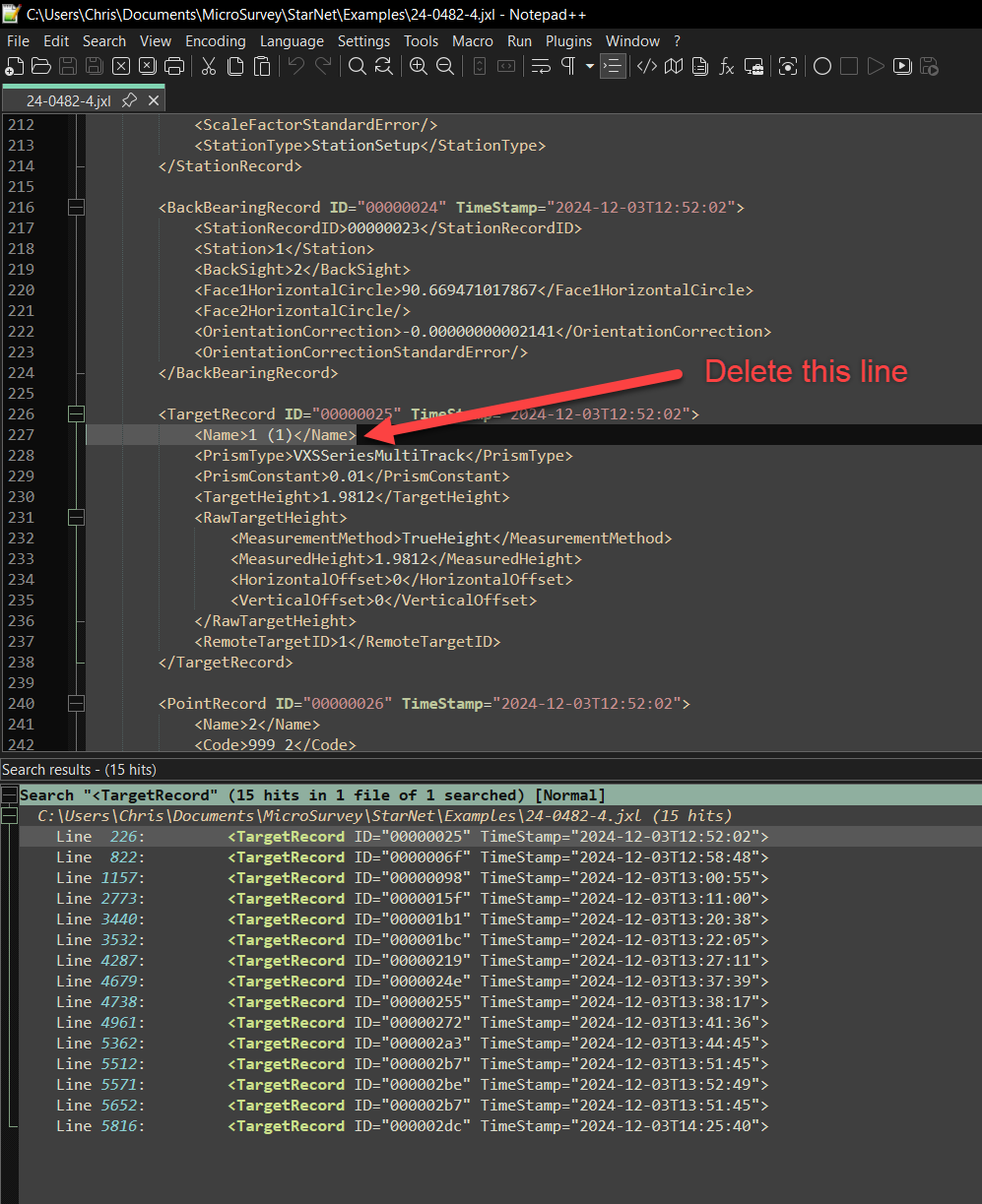
As of an updated JXL schema format sometime in late 2024, all of the Target Records within the JXL file now have a Name field below them. This causes issues with our JobXML converter in STAR*NET versions up to and including v13, as it is not expecting a Name field for such records.
Until MicroSurvey releases a new version of STAR*NET with a solution, you have two options for working with these files:
Option 1. Link to this online utility which will perform the edit as described in Option 2.
Option 2. manually edit the jxl file:
- Open the JXL file in NotePad or NotePad++
- Do a search for all instances of "<TargetRecord"
- Under each one, delete the line that has "<Name>" records in them
- Save and re-import the file
Chris Clemente
Comments